Artificial Intelligence is the hottest ingredient in the creative industry right now. Some people love it. Others think it’s ruining the craft.
Which raises an interesting question…
Has AI become the MSG of graphic design?
MSG (monosodium glutamate) is a flavour enhancer. Used well, it makes food richer and more satisfying. Used badly, it can overwhelm everything else on the plate.
AI is starting to feel the same way in design.
The Great AI Debate in Design
AI has exploded into the design world almost overnight. Tools that generate images, layouts, code and copy are suddenly available to anyone with an internet connection.
For some designers, this feels like the end of the profession.
But the reality is more nuanced.
AI is extremely good at speed and automation. It can generate variations, resize graphics, remove backgrounds and explore ideas in seconds — tasks that once took designers hours.
It can also dramatically increase output and efficiency, allowing designers to experiment with more ideas faster than ever before.
But there’s still a catch.
AI doesn’t understand context, brand personality or human emotion in the way designers do. It can produce competent visuals, but it often struggles with originality, storytelling and strategic thinking.
In other words…
AI can generate options — but it can’t decide what actually matters.
The MSG Problem
When people talk about “AI design”, they often mean fully automated design.
Type a prompt.
Generate a logo.
Generate a website.
Done.
The problem?
Much of it ends up looking perfectly fine… and completely forgettable.
AI is trained on millions of existing designs, so its natural tendency is to produce the statistical average of what already exists.
That’s why so much AI-generated design feels a little… samey.
Just like too much MSG can flatten the flavour of a dish, too much AI can flatten creativity.
The Real Power of AI
Used properly, AI isn’t a replacement for designers.
It’s a power tool.
Think of it as:
- A research assistant
- A rapid prototyping engine
- A brainstorming partner
- A productivity booster
Many designers now use AI to generate early concepts, test visual directions, or automate repetitive production tasks — freeing them up to focus on the thinking, storytelling and detail that makes design powerful.
In other words, AI works best when it’s assisting creativity, not replacing it.
How We Use AI at DayBuild
At DayBuild, we don’t fear AI — we embrace it.
But we also don’t let it run the show.
AI helps us:
- Explore ideas quickly
- Generate visual directions
- Speed up production
- Build websites faster than traditional agencies
This is part of what makes our DayBuild websites possible.
But the difference is in the human layer.
We still focus on:
- strategy
- messaging
- user experience
- clarity
- design detail
Because a website isn’t just pixels.
It’s communication.
And communication still needs human judgement.
The Future of Design
AI isn’t going away.
If anything, it’s only going to get more powerful.
The designers who will thrive in the future aren’t the ones who fight AI.
They’re the ones who learn how to direct it.
Because the real value of design has never been clicking buttons in software.
It’s understanding people.
AI Is the Ingredient — Not the Meal
So has AI become the MSG of graphic design?
Maybe.
It can enhance things.
It can speed things up.
It can add flavour.
But on its own?
It’s not the recipe.
And at DayBuild, we believe the best results come from a smart mix of human creativity, experience, and the right tools — including AI.
That’s how we create stunning, factual and effective websites at super-fast speed… while still paying attention to the little details that matter.
Want to see how a website can be built in a single day?
👉 Visit https://daybuild.website
If you’ve visited DayBuild.website recently, you may have noticed something slightly different.
Don’t worry — the way we build websites hasn’t changed. We’re still creating fast, powerful websites in a single day.
But Super Marc… well… he’s grown a beard.

The Origin Story
Like many men of a certain age, I decided to take part in Movember last year.
What started as a simple moustache experiment quickly turned into something else. As the month went on, the facial hair evolved… and eventually became a beard.
At first, I thought it might just be a temporary thing.
But something unexpected happened.
People liked it.
Friends, clients, and fellow business owners all commented on it — and the feedback was overwhelmingly positive. Suddenly the clean-shaven look felt like the old version of me.
The Superhero Problem
There was just one problem.
Our comic-book superhero mascot Super Marc — the character that appears across the DayBuild brand — was still clean shaven.
And once you notice it, you really notice it.
Real Marc had a beard… but Super Marc didn’t.
That simply wouldn’t do.
The Rebrand (A Small One!)
So we made a tiny but important change.
Super Marc now has a beard too.
You’ll start to see the updated version appearing across:
- The DayBuild website
- Graphics and marketing materials
- Social media posts
- Comic-style illustrations explaining how DayBuild works
Nothing else about DayBuild has changed. The mission is still exactly the same:
⚡ Build brilliant business websites in a single day.
But now our superhero mascot better reflects the real person behind it.
Why the Comic Superhero Anyway?
If you’re new here, the superhero theme isn’t just for fun (although it is fun).
DayBuild was created to solve a common problem:
Business owners often need a professional website quickly, but traditional web design projects can take weeks or months.
DayBuild flips that model.
Instead of waiting around, we work with you live in a single day to design, build and launch your website.
Think of it like a superhero swooping in to save the day — but for websites.
So Yes… The Beard Is Staying
Movember may have finished, but the beard isn’t going anywhere.
And now that Super Marc has one too, the brand finally feels complete.
If you spotted the change — well done for paying attention.
And if you didn’t… don’t worry.
The important thing is that we’re still doing what we do best:
Helping businesses launch amazing websites in a single day.
When you first hear the term PPC (Pay-Per-Click), it can sound like digital marketing jargon reserved for big brands with big budgets. In reality, PPC is one of the most accessible and effective ways to get your business noticed online—if you understand how it works. Let’s break it down and take the mystery out of PPC.
What Exactly Is PPC?
PPC is an online advertising model where you only pay when someone clicks your ad. Think of it like renting a billboard, but instead of paying a flat fee, you’re only charged when a passerby stops, walks over, and engages with your offer.
The most common PPC platform is Google Ads, but you’ll also find PPC opportunities across social media platformslike Facebook, Instagram, and LinkedIn.
How PPC Works
- You choose your keywords
These are the search terms your customers are typing into Google (e.g., “best coffee shop near me”). - You create your ads
This could be a text ad on Google search results or a display banner that appears on websites your audience visits. - You set your budget & bids
You decide how much you’re willing to spend per click and set a daily or monthly budget cap. - Your ad enters the auction
Every time someone searches, Google runs a lightning-fast auction. The winner isn’t just the highest bidder—ad quality, relevance, and landing page experience also play a big role. - You pay when people click
If your ad shows and someone clicks, you pay. If no one clicks, you don’t spend a penny.
Why PPC Works So Well
- Instant visibility – Unlike SEO, which can take months, PPC puts you at the top of search results instantly.
- Precise targeting – You can target by location, age, interests, device type, and more.
- Full control – Budgets, timing, and messaging are all in your hands.
- Measurable results – Every click, impression, and conversion is tracked—so you know exactly what you’re paying for.
The Common Misconceptions About PPC
- “PPC is too expensive.”
PPC only becomes costly if campaigns are poorly managed. With the right strategy, you can start with a small budget and scale up. - “Clicks guarantee sales.”
PPC drives traffic, but the job isn’t done until your website and landing pages convert visitors into customers. Ads and websites must work hand-in-hand. - “Set it and forget it works.”
PPC isn’t a one-time job. Campaigns need monitoring, testing, and refining to stay effective.
Tips for a Successful PPC Campaign
✅ Do keyword research to find the right search terms
✅ Write clear, benefit-driven ad copy
✅ Use strong calls-to-action (CTAs)
✅ Make sure your landing page matches the ad’s promise
✅ Start small, test, and refine before scaling
Final Thoughts
PPC isn’t a dark art—it’s a powerful tool that, when used correctly, can put your business in front of the right people at the right time. Whether you’re running a small café, launching an e-commerce store, or building a professional services brand, PPC can deliver measurable, fast-acting results.
The real magic happens when PPC is combined with a strong website experience. After all, the click gets them in the door—but it’s your website that convinces them to stay.
If you’re new to WordPress, you’ve probably heard the term “plugins” thrown around a lot. But what exactly are WordPress plugins, and why are they so essential to building a great website? In this post, we’ll break it all down and explain how plugins can supercharge your WordPress site.
What Is a WordPress Plugin?
A WordPress plugin is a piece of software that extends the functionality of a WordPress website. Think of it as an app for your site—just like how you install apps on your phone to add new features, you install plugins on your WordPress site to enhance its capabilities.
Plugins can help with a variety of functions, such as improving security, boosting SEO, optimizing site speed, adding contact forms, and even turning your site into a fully functional eCommerce store.
Why Use WordPress Plugins?
WordPress plugins are an essential part of website development because they allow you to customize and expand your site without needing to code. Here are a few reasons why plugins are so useful:
- Enhance Functionality – Add features that aren’t available in the default WordPress installation.
- Improve Security – Protect your site from hackers, spam, and other threats.
- Optimize Performance – Speed up your site with caching, image optimization, and other performance tools.
- Boost SEO – Improve your search engine rankings with SEO-focused plugins.
- Automate Tasks – Save time by automating backups, social media sharing, and more.
Types of WordPress Plugins
There are thousands of WordPress plugins available, both free and premium. Here are some of the most common types:
1. SEO Plugins
These plugins help optimize your site for search engines. Examples include:
- Yoast SEO – Helps improve on-page SEO with recommendations for content optimization.
- Rank Math – Provides detailed SEO analysis and keyword optimization features.
2. Security Plugins
Protect your site from malware, hackers, and other threats. Popular options include:
- All In One WP Security – Provides a comprehensive security solution.
3. Performance & Caching Plugins
Speed up your site by optimizing performance. Some top choices:
- StackCache – A powerful caching plugin that enhances load times.
4. eCommerce Plugins
If you want to run an online store, these plugins are essential:
- WooCommerce – The most popular eCommerce plugin for WordPress.
5. Page Builder Plugins
Make designing websites easier with drag-and-drop tools:
- Oxyegen Builder – A highly intuitive and feature-rich page builder.
How to Install a WordPress Plugin
Installing a WordPress plugin is simple. Follow these steps:
- Go to Your WordPress Dashboard.
- Click on “Plugins” > “Add New.”
- Search for the Plugin You Need.
- Click “Install Now.”
- Activate the Plugin.
- Configure the Plugin Settings as Needed.
For premium plugins, you’ll need to download the plugin file from the developer’s site and upload it manually via the “Upload Plugin” button in your WordPress dashboard.
Best Practices for Using WordPress Plugins
While plugins are incredibly useful, it’s important to use them wisely. Here are some best practices:
- Only install necessary plugins – Too many plugins can slow down your site.
- Choose reputable plugins – Stick to plugins with good reviews and regular updates.
- Keep plugins updated – Outdated plugins can create security vulnerabilities.
- Backup your site – Always have a backup before installing or updating plugins.
- Test before going live – If possible, test new plugins on a staging site first.
Conclusion
WordPress plugins are a game-changer when it comes to building a website. Whether you need better security, SEO improvements, or a full-fledged eCommerce solution, there’s a plugin for nearly everything. By choosing the right plugins and following best practices, you can enhance your WordPress site and create a seamless experience for your visitors.
Do you have a favorite WordPress plugin? Let us know in the comments!
Transferring a domain name from one registrar to another can be a straightforward process, but it differs depending on the type of domain extension. If you're dealing with a .UK domain, the process varies from transferring a traditional top-level domain (TLD) like .COM or .NET. In this blog post, we’ll break down the key differences and help you navigate the transfer process smoothly.
What Is a Domain Transfer?
A domain transfer is the process of moving your domain name from one registrar to another. This is commonly done for reasons such as better pricing, improved customer support, or enhanced security features.
How Transferring .UK Domains Differs from TLDs
The primary difference between transferring a .UK domain and a generic TLD lies in the method used to complete the transfer.
Transferring .UK Domains
Unlike TLDs, which require an EPP (Authorization) code, .UK domains are managed by Nominet, the official registry for .UK domains. Here’s how the process works:
- Change the IPS Tag: Instead of an authorization code, .UK domains use an IPS tag system. Each registrar has a unique IPS tag assigned by Nominet.
- Request an IPS Tag Update: You must ask your current registrar to change the IPS tag to match that of the new registrar. This step is crucial because the new registrar cannot initiate the transfer until the IPS tag is updated.
- Complete the Transfer: Once the IPS tag has been updated, the new registrar will accept the transfer, and the domain will be moved to your new account.
Transferring TLDs (.COM, .NET, .ORG, etc.)
TLD transfers follow a more standardized process outlined by ICANN (Internet Corporation for Assigned Names and Numbers). The steps are:
- Unlock the Domain: Most registrars keep domains locked by default to prevent unauthorized transfers.
- Obtain an EPP Code: Also known as an authorization code, this is a unique key that verifies ownership.
- Initiate the Transfer at the New Registrar: You’ll need to enter the EPP code at your new registrar’s website to start the process.
- Approve the Transfer: Your current registrar will send an email asking you to confirm the transfer.
- Wait for Completion: The process can take up to seven days, but once approved, the domain is moved successfully.
Key Differences at a Glance
| Feature | .UK Domains | TLDs (.COM, .NET, etc.) |
|---|---|---|
| Managed by | Nominet | ICANN |
| Transfer Method | IPS Tag | EPP Code |
| Registrar Initiation | New registrar cannot start transfer | New registrar initiates transfer |
| Time to Complete | Almost instant after IPS tag update | Up to 7 days |
Common Issues and How to Solve Them
- Incorrect IPS Tag: If the current registrar enters the wrong IPS tag, the transfer will not go through. Double-check with the new registrar for the correct tag.
- Locked Domain (TLDs): Ensure your domain is unlocked before starting the transfer to avoid delays.
- Email Confirmation Delays: For TLDs, check spam folders if you don’t receive the authorization email.
Final Thoughts
While transferring a .UK domain and a standard TLD both achieve the same goal, their processes are distinct. The IPS tag system used by .UK domains makes the transfer almost immediate, whereas TLD transfers can take several days. Understanding these differences will help you smoothly transition your domain to a new registrar without unnecessary delays.
In today’s fast-paced business world, communication is key. Every detail matters when you’re looking to make a lasting impression on clients, partners, and customers—even your email address. Unfortunately, many people still rely on generic, free email services like Gmail or Outlook for business communications. While these services may work fine for personal use, they fall short regarding professionalism.
Here’s why @gmail.com or @outlook.com emails can hurt your business image and how we at DayBuild can help you take your brand’s communication to the next level with a professional IMAP mailbox.
1. Lack of Brand Consistency
When you use a generic email address like @gmail.com or @outlook.com, you miss an opportunity to strengthen your brand identity. Your email is one of the first things people see when they hear from you, and it should be an extension of your brand. Having a custom domain email address (like name@yourbusiness.com) not only looks more professional but reinforces your business name every time you send an email.
Think about it: when you send an email from a @gmail.com address, the recipient doesn’t see your business name—just a generic provider. That’s a missed branding opportunity.
2. Lack of Trust
Imagine you receive an email from an unfamiliar sender with an address like john.doe123@gmail.com. Instantly, you might wonder if the email is spam or a phishing attempt. Generic email addresses often raise red flags and can hurt your credibility, especially when dealing with sensitive information.
On the other hand, emails sent from your business’s domain instantly signal to the recipient that you’re legitimate. A custom email address creates a professional image and shows you are serious about your business. This can boost customer, client, and prospect trust from the first interaction.
3. Limited Control Over Your Email
You don't have full control over your email system when you rely on free services like Gmail or Outlook. For example, you may not have access to features like advanced security or the ability to integrate with your business’s CRM or project management tools. Also, free email providers are more likely to have downtime or face service disruptions, impacting your business’s communication.
You gain full control over your email infrastructure by choosing a professional IMAP mailbox. IMAP (Internet Message Access Protocol) allows you to synchronize your email across multiple devices and manage your inbox more efficiently. It’s a solution that scales with your business needs.
4. Limited Customization and Features
Generic email providers typically offer limited customization, so you can't tailor the experience to match your business needs. This includes custom email signatures, advanced spam filtering, or integration with business tools that help streamline your processes.
At DayBuild.Website, we understand the importance of flexibility. Our professional IMAP mailboxes offer a wide range of customization options, ensuring your business communications work how you need them to. We also provide enterprise-grade security, seamless integration with third-party apps, and priority customer support—features you can’t get with free services like Gmail or Outlook.
5. Professionalism and Perception
First impressions count. Sending emails from a business-specific domain (such as yourname@company.com) signals to others that you’re serious and invested in your business. It’s a subtle but powerful way to show that you understand the importance of professionalism in today’s marketplace.
A generic email address doesn’t convey the same level of dedication. For clients, customers, and partners, a branded email address helps establish a level of credibility and professionalism that is vital for business success.
How DayBuild.Website Can Help
At DayBuild Websites, we understand that a professional image is key to your business’s growth. That’s why we offer custom IMAP mailboxes, which allow you to use a personalized email address tied directly to your domain name. This ensures your business communications are professional and reliable and gives you more control over your email experience.
Our IMAP mailboxes come with a host of features, including:
- Full Synchronization: Access your email seamlessly across devices, ensuring you're always in touch.
- Custom Branding: Build your business identity with personalized email addresses that align with your brand.
- Security & Reliability: Stay protected with secure email services that help prevent spam, phishing, and other threats.
- 24/7 Support: Our dedicated support team is always here to help if you encounter any issues.
With DayBuild you can ditch the generic email services and create a communication system that reflects the professionalism your business deserves.
Conclusion
Your email address speaks volumes about your business. Free services like Gmail or Outlook may seem convenient, but they don’t project the professional image your business needs to thrive. Investing in a professional IMAP mailbox with a custom domain shows your clients and prospects that you mean business.
Get in touch to learn more about how our IMAP mailboxes can help you build a more professional, trustworthy, and efficient email system. Let’s take your business communications to the next level.
A sustainability statement is a formal 1-page document outlining your commitment to sustainable practices and strategy for minimising your environmental impacts while contributing positively to society.
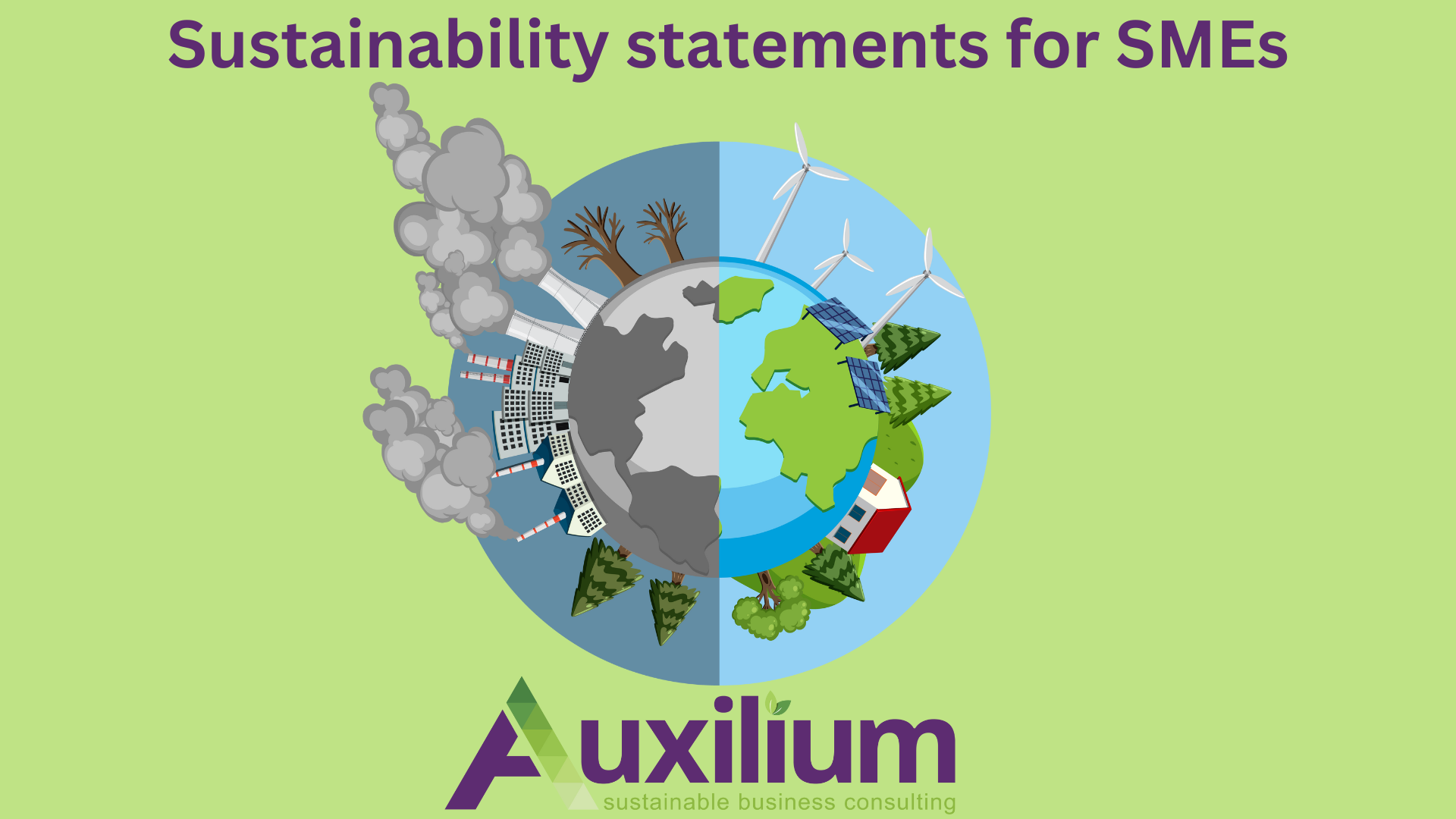
This statement typically includes the company's goals, initiatives, and policies related to sustainability, covering aspects such as environment, workplace, community and philanthropy, vision mission and core values, goals, initiatives and commitments. Ideally the document should be signed and dated and updated on an annual basis or sooner if anything changes.
It can be used to add as a pdf link to your website or page, added to welcome packs and used as evidence when asked to provide sustainability documents to third party. It shows you have started your journey and are committed to it as an owner and a small business.
In today's business landscape, sustainability is more than just a buzzword; it's a critical component of every company's strategy and identity. For small and medium-sized enterprises (SMEs), having a sustainability statement is not just a gesture of goodwill—it's a vital element that can drive growth, innovation, and resilience.
Here’s why every SME should prioritise crafting a robust sustainability statement.
1. Building Trust and Loyalty
Customers are increasingly making purchasing decisions based on a company's environmental and social impact. A clear sustainability statement demonstrates your commitment to responsible practices, helping to build trust and foster loyalty among eco-conscious consumers. It signals that your SME values more than just profit, which can differentiate you from competitors and create a loyal customer base.
2. Attracting and Retaining Talent
Today's workforce, particularly millennials and Gen Z, seeks employers whose values align with their own. A sustainability statement can attract talented individuals who are passionate about making a positive impact. Moreover, it can enhance employee satisfaction and retention, as staff members are more likely to feel motivated and proud to work for a company that prioritizes sustainability.
3. Enhancing Brand Reputation
A well-crafted sustainability statement can significantly enhance your brand's reputation. It communicates to stakeholders, including investors, partners, and the community, that your SME is forward-thinking and responsible. This positive perception can open doors to new opportunities, collaborations, and partnerships that might not have been possible otherwise.
4. Driving Innovation and Efficiency
Committing to sustainability often leads to innovative thinking and more efficient practices. By assessing your operations and finding ways to reduce waste, conserve resources, increase your impacts and minimise your carbon footprint, your SME can uncover cost savings and improve operational efficiencies. This not only benefits the environment but also boosts your bottom line.
5. Futureproofing Your Business
As regulations around environmental impact become stricter, having a sustainability strategy in place ensures your SME is ahead of the curve. It prepares you for compliance with future laws and regulations, reducing the risk of fines and enhancing your ability to adapt to changing market conditions. Sustainability isn't just a trend—it's the future of business and having a statement in place positions your SME for long-term success.
6. Contributing to a Larger Cause
Finally, a sustainability statement aligns your SME with the global movement towards a more sustainable and equitable world. By committing to sustainable practices, your small business contributes to the achievement of global sustainability goals, such as those outlined by the United Nations. This sense of purpose can be incredibly fulfilling and can inspire others in your industry to follow suit.
In conclusion, a sustainability statement is a powerful tool for SMEs. It not only communicates your values and commitment to responsible practices but also provides tangible benefits that can drive your business forward. By prioritising sustainability, your SME can build a stronger brand, attract top talent, and ensure long-term resilience in an ever-evolving marketplace.
Whether you are in the wilderness of sustainability and need some help to get started, have started and need some direction to progress your efforts, or are well on your way, Auxilium Business Consulting Ltd can help you at any stage from sowing the seeds, writing policies, weaving sustainable policies and practices or gaining an accreditation.
Please do get in touch to find out how I can support you further.
Alex Hughes
Auxilium Business Consulting Ltd
e. alex@auxiliumconsulting.co.uk
w. www.auxiliumconsulting.co.uk/contact
In the dynamic world of website creation, choosing the right platform is crucial for achieving your online goals. For years, Wix has been a popular choice, offering simplicity and convenience for users seeking to establish their digital presence. However, as the internet landscape evolves, it's becoming increasingly clear that Wix's limitations may be holding you back. Enter WordPress – the versatile, powerful, and customizable platform that's revolutionizing website building. It's time to bid farewell to Wix and embrace the endless possibilities of WordPress. Here's why:
1. Unmatched Flexibility and Customization
One of the primary reasons to make the switch from Wix to WordPress is the unparalleled flexibility and customization options that WordPress offers. With WordPress, you have complete control over every aspect of your website – from its design and layout to its functionality and features. Whether you're a beginner or an experienced developer, WordPress provides the tools and resources you need to create a website that perfectly reflects your brand and vision.
2. Endless Themes and Plugins
WordPress boasts a vast ecosystem of themes and plugins, allowing you to extend the functionality of your website in virtually limitless ways. Whether you're looking for a sleek and modern design, e-commerce capabilities, or advanced SEO tools, there's a theme or plugin available to meet your needs. With WordPress, you're not limited to the templates and features provided by a single platform – you have access to a vibrant community of developers and designers constantly innovating and creating new solutions.
3. Ownership and Control
Unlike Wix, which locks you into a closed ecosystem and restricts your control over your website, WordPress gives you complete ownership and control over your content. With WordPress, you're free to host your website wherever you choose, customize it to your heart's content, and make changes as needed without being bound by the limitations of a proprietary platform. WordPress puts the power back in your hands, empowering you to take charge of your online presence and adapt to your evolving needs.
4. SEO and Performance Optimization
WordPress is renowned for its robust SEO capabilities, making it easier for your website to rank higher in search engine results and attract more visitors. With built-in features like customizable permalinks, XML sitemap generation, and SEO-friendly themes, WordPress gives you the tools you need to optimize your website for maximum visibility. Additionally, WordPress's lightweight codebase and caching options ensure fast loading times, providing a seamless user experience for your visitors.
Making the Switch to WordPress
If you're ready to leave Wix behind and embrace the power of WordPress, making the switch is easier than you might think. Here's how to get started:
- Choose a Hosting Provider: Select a hosting provider that offers WordPress hosting and register a domain name for your website.
- Install WordPress: Most hosting providers offer one-click WordPress installation, making it quick and easy to get your website up and running.
- Select a Theme: Choose a WordPress theme that suits your style and objectives, or work with a developer to create a custom design.
- Install Essential Plugins: Explore the vast selection of WordPress plugins and install those that add the functionality you need, such as SEO tools, contact forms, and social media integrations.
- Import Your Content: If you're migrating from Wix, you can easily import your content into WordPress using built-in import tools or third-party plugins.
- Customize and Optimize: Take advantage of WordPress's customization options to tailor your website to your exact specifications, and optimize it for performance and SEO to maximize its impact.
Embrace the Future of Website Building
In a digital landscape where innovation and creativity reign supreme, WordPress stands out as the ultimate platform for unlocking your website's full potential. With its unmatched flexibility, extensive ecosystem, and powerful features, WordPress empowers you to create a website that not only meets your needs but exceeds your wildest expectations. Say goodbye to the limitations of Wix and embrace the limitless possibilities of WordPress – your website's future has never looked brighter.
In the vast expanse of the internet, where websites materialize with a click and data travels at the speed of light, lies a fundamental infrastructure known as Domain Name System (DNS). While often overlooked, DNS settings are the unsung heroes behind every online interaction, translating human-readable domain names into machine-readable IP addresses. In this guide, we'll unravel the mystery of DNS settings, exploring their significance, functionality, and impact on our digital experiences.
What Are DNS Settings?
DNS settings, short for Domain Name System settings, are configurations that dictate how domain names are translated into IP addresses. Think of DNS as the internet's phonebook, mapping familiar web addresses (like www.example.com) to the numerical identifiers (IP addresses) that computers use to communicate with each other.
How Do DNS Settings Work?
When you type a web address into your browser, such as "www.example.com," your device consults a DNS resolver to translate this human-readable domain name into an IP address. The resolver then queries a series of DNS servers to find the corresponding IP address associated with the domain. Once located, this IP address directs your device to the specific web server hosting the requested website, enabling data exchange to commence.
The Components of DNS Settings
- DNS Records: These are individual entries within DNS settings that provide information about a domain. Common types of DNS records include:
- A Record (Address Record): Maps a domain name to an IPv4 address.
- AAAA Record: Maps a domain name to an IPv6 address.
- CNAME Record (Canonical Name Record): Creates an alias for a domain name, redirecting it to another domain.
- MX Record (Mail Exchange Record): Specifies the mail server responsible for receiving email on behalf of a domain.
- TXT Record: Stores arbitrary text data associated with a domain.
- DNS Servers: These are specialized computers that store DNS records and facilitate the resolution of domain names to IP addresses. DNS servers can be categorized into recursive DNS servers, authoritative DNS servers, and root DNS servers, each playing a distinct role in the DNS resolution process.
The Importance of DNS Settings
DNS settings are critical for ensuring the smooth operation of the internet. They facilitate efficient routing of internet traffic, enable website accessibility, and support essential services such as email delivery and domain management. By configuring DNS settings effectively, website owners can optimize performance, enhance security, and establish a reliable online presence.
Configuring DNS Settings: Best Practices
When configuring DNS settings for a domain, it's essential to adhere to best practices to ensure optimal performance and security. Key considerations include:
- Choosing a reputable DNS provider.
- Implementing redundancy and failover mechanisms to mitigate downtime.
- Regularly monitoring and updating DNS records to reflect changes in network infrastructure or domain configuration.
- Implementing security measures such as DNSSEC (Domain Name System Security Extensions) to protect against DNS spoofing and other malicious activities.
Conclusion: Navigating the Digital Landscape with DNS Settings
In the ever-evolving realm of cyberspace, DNS settings serve as the backbone that sustains our interconnected world. By understanding the inner workings of DNS and adhering to best practices in configuring and managing DNS settings, individuals and organizations can navigate the digital landscape with confidence, ensuring reliable connectivity, and seamless online experiences for all.
In the expansive landscape of the internet, where every click leads to a new digital frontier, domain names serve as the digital addresses that guide us through this virtual realm. At the heart of this addressing system are Top-Level Domains (TLDs), the suffixes that punctuate website URLs, delineating their purpose, origin, and sometimes even their identity. Among these TLDs stands the venerable ".uk", a stalwart symbol of the United Kingdom's digital presence, and a gateway to a vast online universe. Let's embark on a journey to unravel the significance of .uk and delve into the captivating world of TLDs.
Understanding TLDs: The Internet's Building Blocks
TLDs are the bedrock upon which the internet is built. They categorize websites based on criteria such as geography, organization type, or purpose. From the ubiquitous ".com" to country-code TLDs like ".uk" for the United Kingdom or ".de" for Germany, each TLD carries its own unique significance, reflecting the diversity and global nature of the web.
Country-code TLDs, like ".uk", denote a website's association with a particular country or territory. They offer a sense of local identity and can be crucial for businesses and organizations seeking to establish a presence within a specific geographic region.
The Legacy of .uk: A Digital Emblem of the United Kingdom
Among country-code TLDs, ".uk" stands as an emblem of the United Kingdom's rich digital heritage. Since its inception in 1985, .uk has served as a digital beacon for British businesses, institutions, and individuals, signaling their presence on the global stage. From renowned brands to grassroots initiatives, countless entities have utilized the .uk domain to carve out their corner of the internet, contributing to the vibrant tapestry of the UK's online ecosystem.
Navigating the Domain Landscape: Choosing the Right TLD
Selecting the appropriate TLD is a pivotal decision for anyone seeking to establish an online presence. While .com remains the default choice for many, alternative TLDs offer distinct advantages based on specific needs and objectives. For businesses targeting local markets, country-code TLDs like .uk can enhance visibility and credibility within their respective regions. Likewise, industry-specific TLDs such as .tech or .edu can convey a website's niche focus or affiliation, catering to targeted audiences with precision.
The Evolving TLD Landscape: Innovations and Expansion
In recent years, the TLD landscape has undergone significant evolution, driven by technological advancements and changing market dynamics. The introduction of new generic TLDs (gTLDs) has expanded the repertoire of available domain options, providing greater flexibility and creativity in crafting web addresses. From .blog to .app, these gTLDs offer specialized platforms tailored to specific interests and industries, empowering users to express their identities and connect with like-minded communities.
Conclusion: .uk and Beyond – Navigating the Digital Frontier
As we traverse the digital landscape, TLDs like .uk serve as more than mere suffixes; they are symbolic gateways that connect us to a vast ecosystem of ideas, commerce, and culture. Whether representing a nation, a business, or a personal brand, the choice of TLD carries profound implications for our online identities and aspirations. By understanding the significance of TLDs and harnessing their potential, we can navigate the digital frontier with clarity and purpose, leaving our mark on the ever-expanding canvas of the internet.


